


You sit down to work, open the document you actually need to finish, and then a message arrives. You answer it. While you are there, you notice two emails. Ten minutes later, you are still in your inbox and the document has barely moved.
The problem is not that email or messaging is bad. The problem is using them as an always-open channel. A better approach is to choose a few times to process communication, protect the blocks between them, and keep a separate path for genuinely urgent issues. You still stay responsive, but you stop letting every new message decide what you do next.
Why constant checking is so hard to stop
Frequent checking often starts with a reasonable thought: “I’ll just make sure nothing urgent came in.” The trouble is that the inbox rarely contains only one thing. One message leads to a reply, a link, a calendar check, or another conversation. Even when the detour is short, you have to reconstruct what you were doing before it happened.
There is also a reassurance loop. If you are used to checking every few minutes, not checking can feel uncomfortable. You wonder whether someone is waiting. That discomfort makes you check, and checking temporarily removes the uncertainty. The habit becomes stronger even when there was nothing important to see.
You do not need to prove that every interruption ruins your day to justify changing the pattern. Experimental research has found that limiting email checks can reduce daily stress, while later workplace research suggests batching can reduce email interruptions when the job and response culture allow it. The useful takeaway is practical: fewer deliberate communication windows can be easier on your attention than continuous monitoring.
Choose communication windows instead of checking whenever you feel the urge
Start with three or four check-in windows, not an extreme inbox ban. A typical office schedule might be 9:30 a.m., 12:30 p.m., 3:30 p.m., and 5:00 p.m. Someone who needs faster coordination might use a short check every 90 minutes. The exact schedule matters less than having a schedule.
During each window, process messages rather than merely looking at them. Reply if the response is quick. Turn a request into a task if it requires real work. Delegate what belongs elsewhere. Archive or delete what you do not need. If you repeatedly scan the same unread messages without deciding what they mean, the inbox keeps pulling you back.
Keep the windows short enough that communication does not become the whole day. Fifteen to twenty minutes is often a useful starting point. If one message requires a 45-minute analysis, put that analysis on your task list or calendar and return to the rest of the inbox.
Remove the cues that make checking automatic
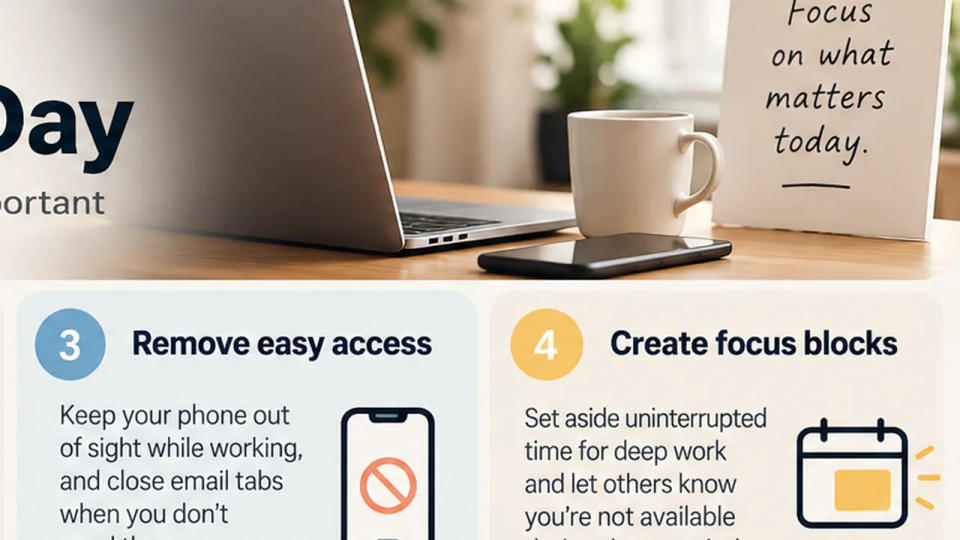
A schedule will not help much if your phone lights up beside your keyboard and an unread badge sits in the corner of your screen. Make the desired behavior easier by changing the environment.
Turn off nonessential email and chat notifications. Close the inbox tab when a communication window ends. Remove work chat from your phone’s home screen, or keep the phone in a bag or drawer during a focus block. If your messaging app has a focus or do-not-disturb mode, use it while writing, designing, analyzing, studying, or doing any task that needs sustained attention.
This is not about pretending messages do not exist. It is about removing visual and audible prompts between the times you have already chosen to handle them. You should not have to win a willpower contest every six minutes.
Create an urgent path so you can stop monitoring everything
Many people keep checking because they are afraid of missing the one message that truly cannot wait. Solve that problem directly. Decide what counts as urgent and give urgent communication a different route.
For example, tell your team: “I check email and chat at set points during the day. If something needs a response within 30 minutes, call me.” A manager might allow calls from direct reports through Focus mode. A freelancer might tell a client that routine requests are answered within one business day, while production emergencies should be sent by text.
This works only if the rule fits your role. Customer support, incident response, live operations, and some management jobs genuinely require faster monitoring. In those cases, do not copy a three-times-a-day rule. Instead, separate the channel you must monitor from everything else. Keep the incident channel available while muting newsletters, group chatter, and low-priority notifications.
Clear expectations also reduce the social pressure to reply instantly. People cannot respect a response rhythm they do not know exists.
Use a one-week experiment to make the habit stick
Do not redesign your entire communication system on Monday morning. Run a small experiment for five workdays. Pick your check times, mute nonessential alerts, and choose one urgent route. Then notice what actually happens.
At the end of each day, ask three questions: Did I miss anything that truly needed a faster response? Which check window felt unnecessary? When did I break the rule, and what triggered it? These answers help you adjust the system around your real work instead of an idealized routine.
If you keep opening the inbox during difficult work, the issue may not be communication at all. Checking can be an escape from a task that feels vague or uncomfortable. When you catch yourself reaching for email, write down the next physical action on the task: “Draft the first paragraph,” “compare columns B and C,” or “outline three slides.” A clear next step gives your attention somewhere better to go.
Conclusion
You do not need to become unreachable to stop checking email and messages all day. Give communication a few predictable windows, remove the cues that trigger reflexive checking, and create a separate route for urgent issues. The goal is not a perfect empty inbox. It is a day in which your important work gets uninterrupted time before other people’s messages take over.